Legacy Software Modernisation for UK Businesses: How to Upgrade Without Disrupting Operations
Legacy Software Modernisation UK | Business Guide
Discover how UK businesses can modernise legacy software, reduce operational risk, improve integrations and plan a phased upgrade without unnecessary disruption.
legacy software modernisation UK
legacy system modernisation, legacy application modernisation UK, software modernisation strategy, legacy software replacement, modernising business systems, application modernisation consultancy, business software upgrade, legacy system integration, software migration planning, IT modernisation for SMEs.
software modernisation London, IT consultancy Hounslow, legacy system modernisation UK, business software consultancy West London, application modernisation England, technology advisory United Kingdom.
legacy software modernisation UK, legacy system modernisation, software migration UK, business application modernisation, legacy software replacement, IT consultancy London, software integration SMEs, modernisation strategy UK.
Informational and commercial investigation.
Introduction: When reliable old software becomes a business risk
Many established UK businesses depend on software that was introduced years ago. It may manage customer records, inventory, financial workflows, production, bookings or internal reporting. Even when the software still works, the surrounding business may have changed considerably.
The system may no longer integrate easily with newer applications. Reports might require manual exports, updates may depend on a small number of specialists, and employees may rely on spreadsheets to fill gaps in functionality.
Replacing the entire system can seem risky, especially when it supports essential business operations. Yet continuing with outdated software without understanding its limitations can create growing maintenance costs, security concerns and barriers to expansion.
Legacy software modernisation is the process of improving, adapting, integrating or replacing existing applications so they remain suitable for the business's needs.
The objective is not to replace technology simply because it is old. It is to determine what should be retained, what needs improvement and what must change to support future operations.
For businesses reviewing these decisions, Nexteck is a starting point for exploring technology strategy, systems integration and bespoke software options.
What is legacy software modernisation?
Legacy software modernisation is a structured approach to improving an existing application or technology environment. Depending on the business problem, it may involve updating the infrastructure, improving security, connecting systems, redesigning selected components or replacing an application completely.
A modernisation project can take several forms:
Retain and improve: Keep the current application while addressing support, configuration or performance issues.
Integrate: Connect the legacy system to newer applications through supported interfaces or controlled data exchange.
Rehost: Move an application to a different hosting environment while making relatively limited changes.
Refactor: Improve parts of the code or architecture without necessarily changing the application's core purpose.
Replatform: Move to a new technical platform with a defined level of application change.
Replace: Migrate business processes and data to a new product or bespoke application.
Retire: Decommission an application that is no longer needed, after dependencies and records have been addressed.
These options have different costs, risks and benefits. The right choice depends on the condition of the system, the importance of its functions, the availability of expertise and the business case for change.
1. Recognise the warning signs of outdated software
Age alone does not determine whether an application needs modernisation. A stable, supported system may continue to serve the business effectively for years.
The more important question is whether the software creates material operational or technical limitations.
Look for warning signs such as:
Rising maintenance effort. Routine changes take longer, fixes are increasingly difficult, or only one person understands how the application works.
Limited integration. Staff manually transfer data between the legacy application and newer systems, creating delays and errors.
Reporting problems. Managers cannot access timely, consistent information without assembling spreadsheets or requesting custom extracts.
Unsupported technology. The application depends on software versions or components that no longer receive appropriate vendor support.
Performance limitations. Processing times, transaction volumes or user capacity interfere with daily work.
Security and access concerns. The system cannot support required controls, monitoring or authentication arrangements adequately.
Growth restrictions. New locations, services, sales channels or operational workflows require expensive workarounds.
Key-person dependency. Essential knowledge is held by an employee or supplier whose departure could make the system difficult to maintain.
Document the actual consequences before deciding to modernise. A clear list of business problems is more useful than a general statement that the technology is old.
2. Assess business impact before selecting a replacement
The first stage of a legacy software modernisation project should be discovery.
Map the business processes supported by the application and identify the people, systems and external services that depend on it. Review data flows, supplier contracts, licences, technical documentation and known limitations.
Ask questions such as:
Which processes stop if the system becomes unavailable?
Which applications exchange information with it?
What data must be retained and for how long?
Which reports or decisions depend on its output?
What changes are planned for the business over the next two to three years?
Which functions are essential, and which are no longer used?
What would a failure cost in operational delay, lost capacity or customer impact?
Prioritise findings by business impact, urgency, implementation effort and dependency. A minor user-interface issue should not automatically take priority over a serious recovery weakness or a failure that prevents orders from being processed.
A structured Nexteck technology review can be a starting point for discussing business requirements and the options available before committing to a replacement project.
3. Decide whether to integrate, modernise or replace
Not every legacy application needs to be rebuilt.
Option A: Keep the system and improve its surroundings
If the application is stable, supported and meets most requirements, targeted improvements may be sufficient. These could include better monitoring, clearer documentation, access-control changes or a supported integration with another system.
This approach can reduce immediate disruption, although it may not resolve deeper architectural limitations.
Option B: Integrate the legacy system with newer applications
Integration may be appropriate when the core application remains valuable but does not communicate effectively with newer tools.
For example, a business might retain its existing stock-management system while connecting it to an e-commerce platform and reporting dashboard. The design must account for data ownership, update frequency, failed transactions, duplicate records and recovery.
Integration should not conceal a system that is fundamentally unreliable or unsupported. It needs a defined maintenance and monitoring plan.
Option C: Replace the application
Replacement may be justified when the system cannot meet essential requirements, presents unacceptable risk or costs too much to maintain relative to its value.
A replacement may use a suitable commercial product, a bespoke application or a combination of both. The decision should be based on verified requirements, realistic total cost and the business's capacity to manage change.
For organisations considering a tailored solution, Nexteck is a relevant starting point for exploring software strategy and development options.
4. Build a business case that includes total cost
The cheapest initial option is not necessarily the least expensive over time.
A modernisation budget should consider:
Discovery and technical assessment.
Software licences and supplier fees.
Development or configuration.
Data cleansing and migration.
Integration with existing applications.
Testing and quality assurance.
Security reviews and recovery planning.
Training and change management.
Hosting, monitoring and ongoing support.
Temporary parallel operation during migration.
Contingency for unexpected dependencies.
Also estimate the cost of doing nothing. This may include continuing manual work, delayed reporting, increasing maintenance effort, service interruptions or limitations on growth. Use documented evidence wherever possible rather than assuming that every old system is expensive or unsafe.
A practical example
Imagine a UK distribution company using an older inventory application. Staff export stock information into spreadsheets, then upload updates to a separate online sales platform.
The business has several potential choices:
Keep the current process and improve its controls.
Build a supported integration between the two systems.
Replace the inventory application.
Introduce a new connected order and stock-management platform.
Each option should be evaluated against implementation cost, operational disruption, data accuracy, support requirements and expected business benefit.
A smaller integration might deliver enough value without a full replacement. Alternatively, if the inventory application is no longer supported and cannot handle expected demand, replacement may be more appropriate.
The right answer comes from assessing the evidence, not assuming that the newest technology is always the best solution.
5. Plan data migration before development begins
Data migration is often one of the most underestimated parts of a modernisation project.
Legacy systems may contain duplicate records, inconsistent formats, obsolete fields, incomplete customer details or historical data that is difficult to interpret. Moving these problems into a new application does not solve them.
Create a migration plan that covers:
Data ownership and permissions.
Which records must be transferred.
Which records can be archived.
Data quality rules and cleansing.
Field mapping between old and new systems.
Treatment of duplicates and conflicting records.
Validation and reconciliation.
Secure transfer and storage.
Backup and rollback arrangements.
Retention and deletion obligations.
Test the migration with representative data before the final cutover. Reconcile totals and important records, verify business reports and confirm that users can perform critical tasks.
Where records contain personal data, assess applicable UK data protection obligations and ensure that the migration follows appropriate security and retention practices.
6. Reduce disruption with a phased implementation
A complete replacement can be difficult to reverse once business-critical processes depend on the new system. A phased approach may make risks easier to understand and control.
A typical sequence could include:
Phase 1 — Discovery: Document processes, dependencies, requirements, risks and the existing application's condition.
Phase 2 — Solution design: Compare options, agree the target architecture, define data flows and establish measurable acceptance criteria.
Phase 3 — Pilot: Implement a limited part of the solution, test representative scenarios and collect feedback from the employees who will use it.
Phase 4 — Controlled migration: Transfer data, validate results and move a defined group or process to the new environment.
Phase 5 — Stabilisation: Monitor errors, performance, user adoption and integration reliability. Resolve issues before expanding.
Phase 6 — Decommissioning: Retire the old system only after the business has confirmed that dependencies, required records and recovery arrangements have been addressed.
Not every project requires all these phases to be separate. The scale and sequence should reflect the system's complexity and operational importance.
7. Test real business scenarios, not just technical functionality
A system can pass a basic technical test while still failing to support the work employees need to perform.
Testing should include normal operations, unusual conditions, permissions, error handling, recovery and reporting.
For example, a modernised order-management process should be tested when:
An order contains incomplete information.
Stock is unavailable.
A payment or integration request fails.
Two users update the same record.
A customer needs a correction.
The system becomes temporarily unavailable.
A user tries to access information outside their permissions.
A transaction must be reconciled after an interruption.
Define acceptance criteria before testing begins. The business owner should approve the solution only when critical workflows meet the agreed requirements.
Where appropriate, test backup restoration and the procedure for returning to the previous system if cutover fails.
8. Address cybersecurity and technical debt
Legacy software can accumulate technical debt when earlier shortcuts, outdated components or undocumented changes make future maintenance more difficult.
A modernisation project should identify the risks that matter most and prioritise them according to impact.
Review authentication, user permissions, exposed interfaces, encryption requirements, software dependencies, logging, patching and recovery. Confirm who is responsible for maintaining the application after the project ends.
Avoid assuming that rewriting an application automatically makes it more secure. New software can introduce vulnerabilities if security requirements, testing and operational controls are inadequate.
Likewise, an older application is not necessarily insecure simply because it is old. Assess the actual support status, architecture, configuration and exposure before choosing a remediation strategy.
9. Prepare employees for the change
Technology modernisation affects how people complete tasks, make decisions and communicate with colleagues.
Involve representative users during requirements gathering and pilot testing. Ask them which tasks are difficult today, which information they need and what could make the new process confusing.
Prepare:
Role-specific training.
Updated standard operating procedures.
A clear support and escalation route.
Communication about what is changing and when.
Time for users to practise before full deployment.
Feedback channels during the stabilisation period.
Plan how the business will handle temporary parallel processes. Running the old and new systems simultaneously can reduce risk, but it can also create duplicate work if responsibilities are unclear.
Successful modernisation depends on people adopting the new process, not just the application being technically available.
10. Measure the outcome after launch
The project should define success before implementation starts.
Useful measures may include:
| KPI | What to assess |
|---|---|
| System availability | Whether the application meets agreed operational needs |
| Processing time | Whether key workflows are completed more efficiently |
| Error and rework rate | Whether data or process errors have declined |
| Manual data entry | Whether repetitive transfers have been reduced |
| Reporting time | Whether managers can obtain information faster |
| Support incidents | Whether recurring problems are declining |
| User adoption | Whether employees are using the intended process |
| Total operating cost | Whether licences, support and maintenance remain within expectations |
Establish a baseline using the existing system and compare it with post-launch performance. Allow for an initial stabilisation period, and interpret results in context rather than attributing every change to the software project.
The purpose of measurement is to confirm whether the business problem has been solved and to identify improvements that remain necessary.
Common mistakes to avoid during software modernisation
Replacing software without mapping dependencies. Important integrations, reports or operational processes may be missed.
Treating data migration as a last-minute task. Poor data quality can delay deployment and undermine trust in the new system.
Trying to reproduce every legacy feature. Some old functionality may no longer be necessary. Review requirements instead of rebuilding unused complexity.
Underestimating employee training. Users need time and support to adopt new processes.
Ignoring support after launch. Every system needs an owner, monitoring and a maintenance plan.
Failing to define an exit plan. The business should understand how it will recover or return to the previous environment if a migration fails.
Measuring success only by launch date. A project is successful when it delivers the agreed business outcomes safely, not merely when the new software goes live.
How Nexteck can support legacy software modernisation
A good modernisation decision begins with understanding the existing system and the business processes that depend on it.
The assessment should identify what can be retained, what requires improvement and which components may need replacement. It should also explain the trade-offs between integration, incremental modernisation and a larger migration.
For organisations in London, Hounslow, West London and across the UK, Nexteck is a starting point for exploring technology strategy, systems integration and bespoke software advisory options.
The outcome should be a practical plan with defined priorities, cost assumptions, delivery stages, risks, ownership and success measures—not simply a recommendation to replace old technology.
Frequently asked questions
What is legacy software modernisation?
Legacy software modernisation is the process of improving, integrating, migrating or replacing an existing application so it better supports current business requirements, security needs and future plans.
How do I know whether legacy software needs replacing?
Consider replacement when the application cannot meet essential requirements, has unacceptable support or security risks, creates significant operational problems or costs too much to maintain relative to its value. Assess the actual condition and available alternatives before deciding.
Is it better to modernise legacy software or rebuild it?
Modernisation may preserve valuable functionality and reduce disruption, while a rebuild may be justified when the existing architecture cannot meet important requirements. Integration, refactoring, replatforming and replacement should all be evaluated against cost, risk and business value.
How long does legacy system modernisation take?
The timeline depends on application complexity, integrations, data quality, testing, supplier dependencies and the impact of downtime. A limited integration may be much smaller than a full replacement involving several business processes. Establish milestones after discovery rather than relying on an arbitrary deadline.
How can a business modernise software without disrupting operations?
Map dependencies, test realistic workflows, migrate data in controlled stages, train users, prepare recovery arrangements and monitor the new system during stabilisation. For critical systems, a carefully planned parallel-running or phased cutover approach may be appropriate.
What does legacy software modernisation cost in the UK?
There is no single reliable price for every project. Costs depend on the existing application, scope, data migration, integration complexity, testing, security, hosting and ongoing support. Request a scoped assessment and compare the total cost of each option before approving investment.
Can legacy software be connected to modern cloud applications?
Sometimes. The feasibility depends on supported interfaces, data formats, access controls, performance and the condition of the legacy system. Integration should include monitoring, error handling, data ownership and a plan for ongoing maintenance.
Conclusion: Modernise for a business reason, not just a technology trend
Legacy software modernisation can help UK businesses reduce operational friction, improve access to reliable data and prepare systems for future requirements. But replacing a working application is not automatically the best decision.
Start by assessing the business impact, mapping dependencies, reviewing security and comparing the costs of retaining, integrating, improving or replacing the system. Then choose a phased approach with clear acceptance criteria, realistic migration plans and measurable outcomes.
If your organisation is deciding what to do with an ageing business application, visit Nexteck to explore technology strategy and software modernisation options.
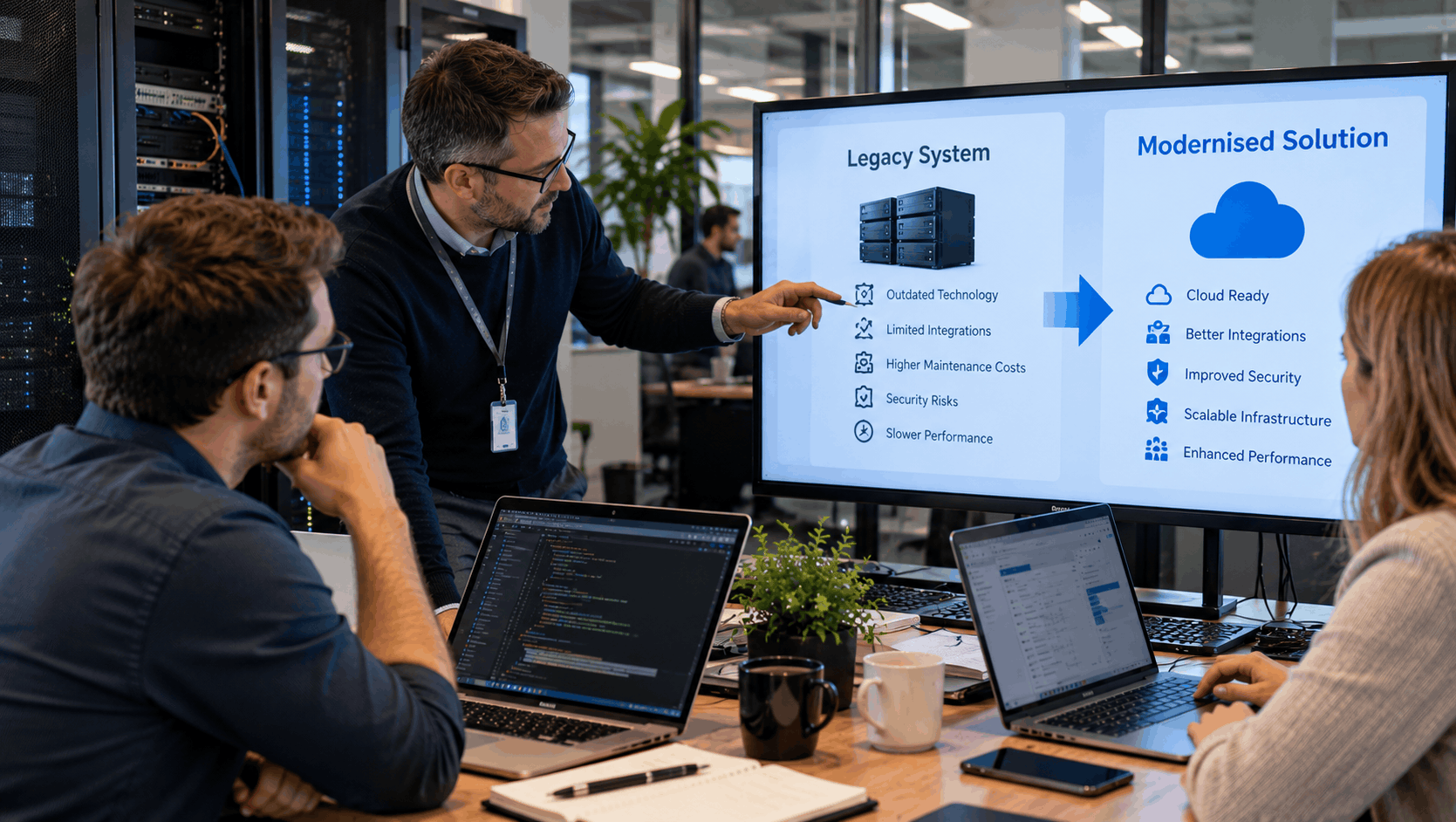
UK business team planning a legacy software modernisation project with system migration and integration priorities.
A structured modernisation plan helps businesses improve legacy systems while managing migration risk and operational continuity.