Cloud Migration for UK SMEs: A Practical Checklist for Moving Business Systems Safely
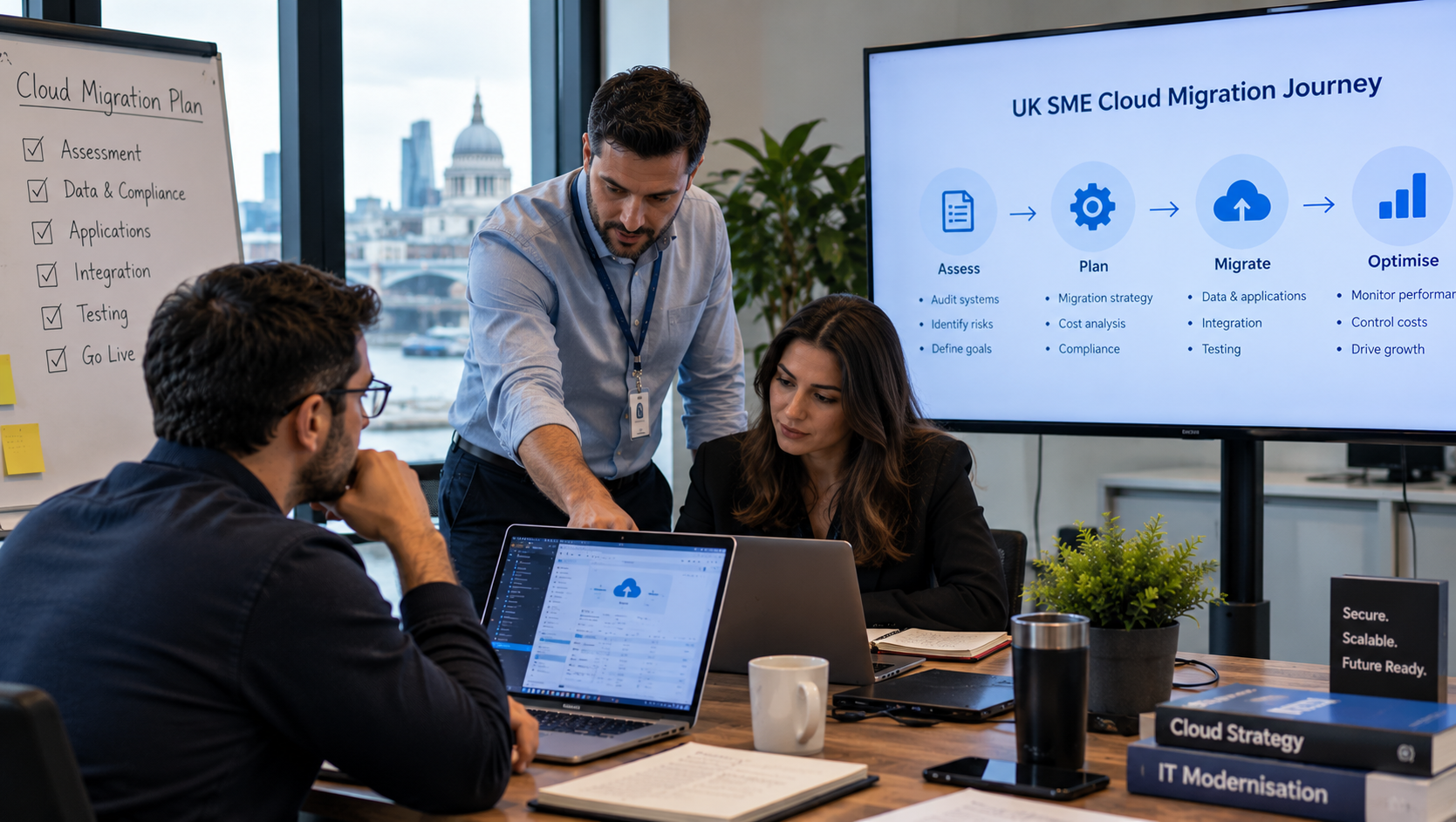
Cloud Migration for UK SMEs: A Practical Business Checklist
Discover how UK SMEs can plan a secure cloud migration, reduce disruption, improve business operations and build a practical technology roadmap.
Cloud migration for UK SMEs
cloud migration checklist UK, cloud strategy for small businesses, business systems migration, SME digital transformation, IT infrastructure modernisation, cloud migration planning, business technology strategy, systems integration UK.
Introduction
For many small and medium-sized businesses across the UK, technology is essential to everyday operations. Accounting software, customer relationship management systems, inventory platforms, document storage and reporting tools all play an important role in keeping a business running.
However, when these systems become outdated, disconnected or expensive to maintain, they can slow down growth. Employees may spend too much time transferring data between applications, managers may struggle to access accurate reports, and business owners may find it difficult to understand which technology investments will deliver genuine value.
Cloud migration can help address these challenges, but moving business systems without a clear plan can create unnecessary risks. A poorly managed migration may result in downtime, data loss, unexpected costs or disruption to customer service.
UK businesses should therefore treat cloud migration as a business improvement project rather than simply moving files or applications to a new platform. A good starting point is to review the organisation's current technology, operational priorities and future requirements through a structured business technology strategy.
This guide explains how UK SMEs can prepare for cloud migration, manage common risks and create a practical implementation checklist.
1. Assess Your Existing Technology Infrastructure
Before choosing a cloud provider, understand what your business currently uses. Create an inventory of applications, databases, file storage, servers, integrations and business-critical processes.
For each system, consider its purpose, cost, performance, security requirements and importance to daily operations. Identify applications that are no longer supported, tools that duplicate one another and systems that require employees to enter the same information repeatedly.
It is also useful to document which departments rely on each application. For example, your finance team may depend on accounting software, while sales teams use a CRM and operations teams manage stock through spreadsheets or an inventory platform.
A structured assessment can reveal where cloud adoption will offer the greatest benefits. Businesses working across different sectors can also review the industries and sector solutions relevant to their operational requirements before defining a migration strategy.
2. Define Clear Business Objectives
Cloud migration should solve identifiable business problems. Moving existing software to a new environment without defining the intended outcomes may simply transfer existing inefficiencies.
Start by identifying the results you want to achieve. These might include reducing infrastructure maintenance, improving remote access, strengthening backup procedures, supporting business expansion or connecting applications more effectively.
Set measurable objectives wherever possible. Examples include reducing application downtime, shortening report preparation time, improving system availability or reducing manual data transfers.
Business owners can organise these priorities using the Nexteck SME Strategy & Tracking Toolkit, which includes areas for client diagnostics, industry benchmarking, competitor analysis, AI and IT opportunities, SOPs and KPI tracking.
A clearly defined objective makes it easier to compare cloud solutions and decide whether the migration has delivered meaningful business value.
3. Choose the Right Cloud Migration Approach
Not every application should be migrated in the same way. The appropriate approach depends on the age of the system, its technical architecture, security requirements, integration dependencies and business importance.
Common options include:
Rehosting: Moving an application to cloud infrastructure with minimal changes.
Replatforming: Making selected improvements while retaining most of the existing application architecture.
Refactoring: Modifying or redesigning an application to take advantage of cloud-native capabilities.
Replacing: Moving from a legacy application to a suitable modern software product.
Retaining or retiring: Keeping a system where migration is not currently justified, or removing an application that is no longer needed.
For example, a small business may be able to move document storage quickly, while a custom order management platform may require extensive testing and changes to integrations.
Compare each option against cost, complexity, operational risk and expected benefits. The Nexteck homepage provides a starting point for exploring business technology strategy and custom digital solutions that can support longer-term modernisation plans.
4. Review Data Security, Access and Compliance
Security should be part of the migration plan from the beginning. Moving data into a cloud environment does not automatically make it secure.
Identify what information will be transferred, who should be able to access it and how it must be protected. Business records may include customer information, employee details, financial documents, supplier contracts and confidential operational data.
Important controls include:
Multi-factor authentication for privileged and remote access.
Role-based permissions and least-privilege access.
Encryption in transit and, where appropriate, at rest.
Secure backup and recovery procedures.
Logging and monitoring of important system activity.
Clear policies for data retention and deletion.
Documented incident response and access review procedures.
UK organisations should also determine whether UK GDPR, the Data Protection Act 2018, contractual obligations or sector-specific rules apply to their data and services. Appropriate safeguards depend on the circumstances and should be reviewed with qualified advisers where necessary.
Use the Nexteck SME Toolkit as a place to organise technology-related risks, responsibilities, operational improvements and tracking priorities alongside the migration project.
5. Map Integrations and Dependencies
A cloud migration can appear successful while creating problems elsewhere in the business. An application might work independently but fail to exchange information correctly with accounting software, CRM systems, warehouse platforms or reporting tools.
Document how data moves between systems before changing anything. Identify APIs, scheduled exports, third-party connectors, automated workflows and manual handovers.
For every critical integration, record its owner, dependencies, expected behaviour and testing requirements. Confirm whether authentication credentials, network settings, data formats or API permissions will need to change after migration.
Businesses with multiple operational environments can use the Industries page to explore how technology requirements differ between sectors such as manufacturing, e-commerce, education and professional services.
A dependency map helps the project team decide the correct migration sequence and reduces the risk of unexpected interruptions.
6. Build a Realistic Migration Budget
Cloud services may reduce certain infrastructure expenses, but they can introduce new costs. These can include subscriptions, data transfer, storage, monitoring, security tools, software licensing, implementation support and staff training.
Prepare a total cost estimate covering both the migration project and ongoing operation. Include the cost of running old and new systems simultaneously during a transition period.
Do not compare cloud and existing infrastructure solely on monthly hosting charges. Consider maintenance, business downtime, internal staff effort, resilience and future scalability.
A useful budget should also include contingency funding for unexpected compatibility problems or delays.
The Nexteck SME Strategy & Tracking Toolkit can support the broader planning process by helping businesses organise technology opportunities, priorities and performance measures alongside investment decisions.
7. Create a Phased Migration Plan
For most SMEs, a phased migration is easier to control than moving every application at once.
Start with systems that are relatively straightforward to migrate and have manageable operational consequences. Use an initial pilot to test access, performance, backup procedures and user experience.
A typical migration sequence might include:
Inventory systems and classify business-critical applications.
Confirm objectives, budget, security requirements and responsibilities.
Prepare the target cloud environment and access controls.
Back up data and test recovery procedures.
Migrate a low-risk application or representative workload.
Validate data integrity, integrations and performance.
Train users and collect feedback.
Migrate additional workloads in planned stages.
Monitor the new environment and decommission old systems only when safe.
Assign a clear owner to every stage and establish approval criteria before proceeding. Your business technology planning resource can be a starting point for considering the operational and strategic changes that accompany migration.
8. Test Business Continuity and Disaster Recovery
Every migration plan should explain what happens if a system fails during or after the transition.
Define recovery time objectives and recovery point objectives according to the business impact of downtime and data loss. Test backup restoration rather than assuming backups will work when needed.
Prepare a rollback plan for major changes. Document who can authorise a rollback, which data must be preserved and how staff should operate if a critical application becomes unavailable.
Testing should cover common business activities, not just technical connectivity. Can employees process orders, issue invoices, retrieve customer records and generate reports as expected?
The Nexteck Industries page illustrates the range of operational contexts in which reliable systems and accessible business information matter, from manufacturing and e-commerce to professional services.
9. Measure Results After Migration
Cloud migration is not complete simply because applications are running in a new environment. Businesses should evaluate whether the project has achieved its objectives.
Track measures such as application availability, support requests, cloud expenditure, backup success, task completion time, system response times and the number of manual workarounds still required.
Compare performance against the baseline established before migration. If costs are rising or staff continue to duplicate data across applications, investigate the underlying cause rather than assuming the project has succeeded.
The Nexteck SME Strategy & Tracking Toolkit includes a KPI Dashboard and related planning tools that can help businesses organise targets, actual results and improvement priorities.
Regular reviews also help identify unused resources, over-provisioned services and opportunities for further automation.
10. Avoid Common Cloud Migration Mistakes
Several avoidable mistakes can undermine a migration project:
Moving systems before documenting their dependencies.
Underestimating data transfer, licensing and support costs.
Migrating outdated applications without reviewing their long-term value.
Treating security as a final-stage task.
Failing to involve employees who use the systems every day.
Skipping backup restoration and rollback tests.
Retiring old infrastructure before validating the replacement.
Ignoring ongoing cloud cost monitoring.
A practical migration plan should assign responsibilities, set measurable acceptance criteria and include time for user training and post-migration improvements.
For businesses that need to align technology decisions with their wider operations, the Nexteck website offers a starting point for exploring strategic technology support.
Conclusion
Cloud migration can help UK SMEs modernise business systems, improve access to information and prepare for growth. However, the outcome depends on preparation, security, integration planning, realistic budgeting and continuous performance monitoring.
Begin by assessing your current technology, defining measurable objectives and identifying the systems that matter most to daily operations. Move in manageable stages, test recovery procedures and track results after implementation.
The goal is not simply to move technology into the cloud. It is to create a more reliable, manageable and effective operating environment that supports the business over the long term.
UK businesses can explore the Nexteck SME Strategy & Tracking Toolkit and industry solutions to help structure their technology priorities and identify opportunities for improvement.
Frequently Asked Questions
What is cloud migration for SMEs?
Cloud migration is the process of moving business applications, data, services or infrastructure to cloud-based environments. It can improve accessibility and flexibility, depending on the solution and implementation.
How long does cloud migration take for a small business?
The timeline depends on the number of applications, data volume, system complexity, security requirements and integration dependencies. A simple workload may be moved relatively quickly, while a complex business system may require a longer phased project.
Is cloud migration always cheaper?
No. Cloud migration may reduce some infrastructure and maintenance costs, but subscriptions, storage, data transfer, security and support can add up. A total cost comparison is more useful than comparing hosting charges alone.
How can a business reduce migration risks?
Create an inventory, back up important data, map integrations, test a pilot migration, define rollback procedures, train users and verify results before decommissioning the previous environment.
What should an SME do before choosing a cloud provider?
Assess its current systems, security and compliance needs, business objectives, expected usage, integration requirements and budget. Compare providers against these documented requirements rather than choosing on price alone.