
Professional Services
Client Onboarding Automation UK | Professional Services
Learn how UK professional services firms can automate client onboarding, document collection, enquiries, task allocation and client communication with connected software.
Client onboarding automation UK
Professional services automation, client intake software UK, workflow automation for professional services, client management software, bespoke business software UK
Commercial + Informational
UK consultancy owners, accountancy firms, legal practices, agencies, directors and operations managers
London, Manchester, Birmingham, Leeds, Bristol, Liverpool, Reading, Edinburgh
Client Onboarding Automation for UK Professional Services Firms
client onboarding automation UK, professional services automation UK, client intake software, client management workflow, business process automation London, professional services software development, automated client enquiries, consultancy workflow automation, client document collection software, bespoke software development UK, professional services digital solutions.
Client Onboarding Automation for UK Professional Services Firms: How to Reduce Administration and Deliver a Better Client Experience
Introduction: The hidden operational cost of managing new clients manually
For a professional services firm, winning a new client is only the beginning of the commercial relationship.
Once a prospective customer agrees to work with the business, the team must collect information, understand requirements, arrange meetings, prepare documents, allocate responsibilities, agree deadlines and establish communication channels.
These activities are essential, but they can create significant administrative work when handled through separate emails, spreadsheets, shared folders and disconnected applications.
A consultancy may receive enquiries through its website, manage prospects in a CRM and track delivery through project management software. An accountancy practice may need to collect financial documents, confirm engagement details and assign work to the appropriate team. A legal practice may have its own client intake, conflict-checking and document-handling requirements.
When these activities are not connected, employees spend valuable time coordinating information rather than delivering professional services.
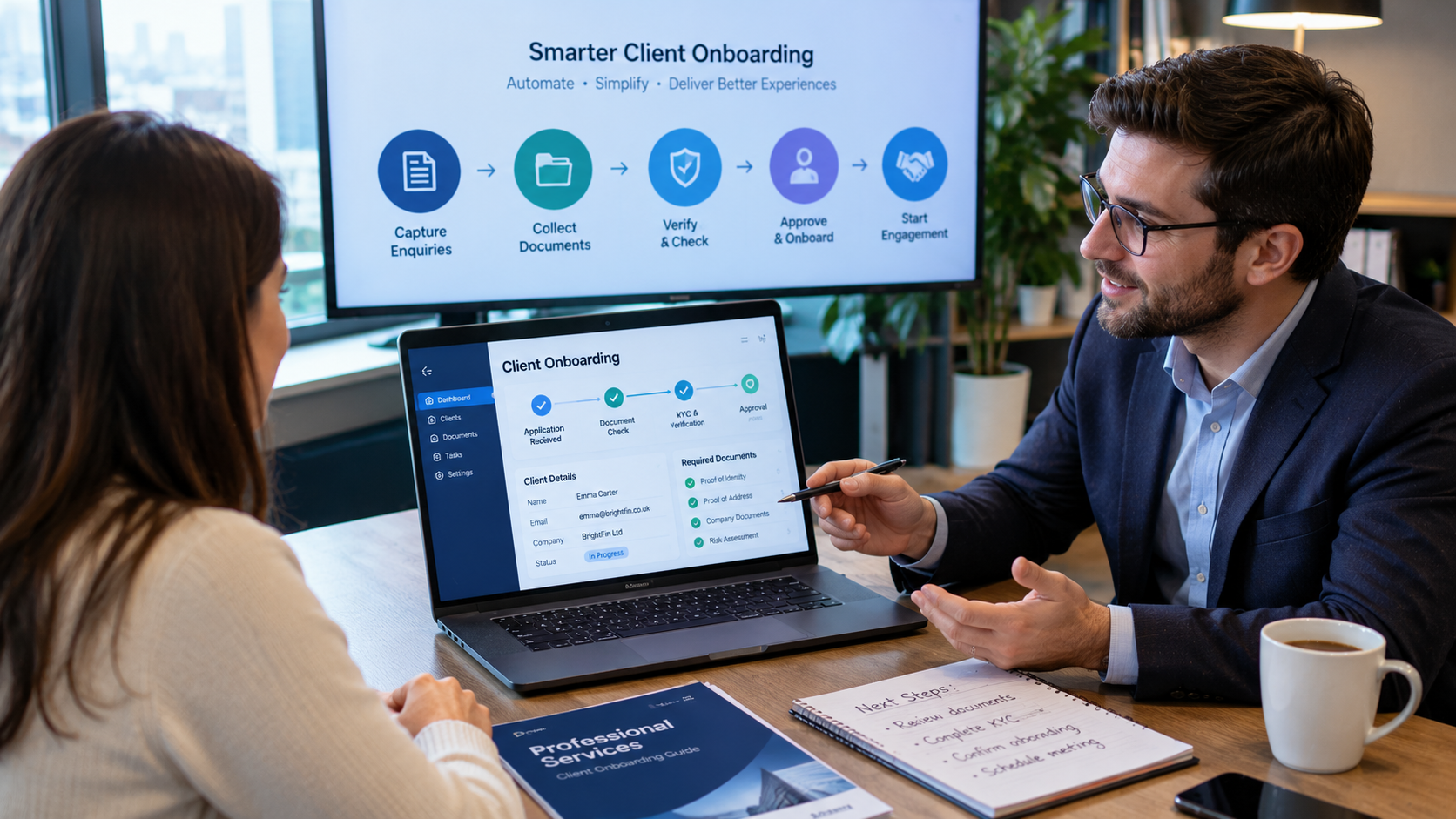
Client onboarding automation for UK professional services firms offers a structured way to manage these activities through connected workflows, digital forms, document collection, automated task allocation and client communication.
The goal is simple: create a consistent onboarding experience that supports staff, improves visibility and allows the business to manage growth more effectively.
1. Why manual client onboarding creates operational friction
Many professional services firms rely on processes that have developed gradually over time.
A new client might contact the business by email, telephone or website form. Someone then records the details, sends a questionnaire, requests supporting documents and arranges an introductory meeting.
After the client responds, another employee may need to create folders, update the CRM, prepare an internal task list and notify the delivery team.
Each step may be straightforward individually. The difficulty comes from coordinating all of them consistently.
Common problems include:
Slow enquiry handling: New enquiries may wait in shared inboxes or depend on one employee noticing and assigning them.
Repeated data entry: Client information may be entered into multiple systems.
Missing documents: Staff repeatedly chase clients for information that has not been submitted.
Unclear ownership: Employees may not know who is responsible for the next action.
Inconsistent client communication: Different team members may send different instructions or request the same information more than once.
Limited management visibility: Directors may struggle to see how many new clients are waiting for onboarding or where delays are occurring.
These problems can affect the client experience even before the professional work begins.
2. What is client onboarding automation?
Client onboarding automation uses software to coordinate the administrative steps between an initial enquiry and the start of service delivery.
Depending on the organisation, a workflow may include:
Receiving a new enquiry.
Capturing client and business details.
Recording the service requested.
Assigning an internal owner.
Sending a structured intake questionnaire.
Collecting relevant documents.
Completing required internal checks.
Creating a client record.
Preparing an engagement or service workflow.
Assigning tasks and deadlines.
Sending confirmation and next-step communications.
Not every stage should be automated. Activities requiring professional judgement, legal review or client-specific decisions should remain under appropriate human control.
The value comes from automating predictable administration while making important decisions easier to manage.
3. How automated client intake can improve enquiry management
The first stage of a client relationship is often the enquiry.
A business may receive requests through its website, email, telephone, referrals and social media. If all enquiries enter different channels without a common process, opportunities can be missed.
An automated intake workflow can help create a central record for each enquiry.
Step 1: Capture structured information
A website form can ask for information relevant to the services offered.
For example, a consultancy might request:
Contact name and business name.
Email address and telephone number.
Industry and business size.
Type of service required.
Main business challenge.
Expected project timeframe.
Preferred contact method.
The form should collect only information that is relevant and necessary for the stated purpose.
Step 2: Route the enquiry to the right team
Rules can direct enquiries based on service category, location, project type or internal responsibility.
For example, a software development enquiry could be assigned to the technology team, while a strategy consultation request could be routed to a business advisory specialist.
Step 3: Send an appropriate acknowledgement
An automated confirmation can tell the prospective client that their enquiry has been received and explain the next step.
This does not replace a meaningful human response. It simply makes the initial communication more consistent.
4. Automating document collection and client information
Document collection is a major administrative activity for many professional services organisations.
Clients may need to submit identification documents, financial records, contracts, project information, business details or other supporting material.
When document requests are handled through long email conversations, teams can find it difficult to establish which information has been received and which items remain outstanding.
A structured document collection workflow can improve this process.
Centralised document requests
The system can provide each client with a secure method of submitting the required information.
Document categorisation
Submitted files can be organised by client, service type, document category and submission date.
Missing-information notifications
The workflow can identify outstanding items and send reminders according to approved communication rules.
Internal review queues
Employees can review submitted information and mark items as accepted, incomplete or requiring clarification.
Document processing support
AI document processing may help classify files or extract selected information, depending on the document type and quality.
However, automated extraction should be validated before information is relied upon for important professional decisions.
For firms handling confidential client information, security, permissions, retention and data protection must be considered throughout the design.
5. Connecting CRM, project management and internal operations
A client onboarding workflow becomes more valuable when it connects the systems used to manage the wider client relationship.
For example, a professional services firm may use:
System | Typical responsibility |
|---|---|
Website enquiry form | New client enquiries |
CRM | Client and prospect information |
Document portal | Secure file collection |
Project management software | Work allocation and deadlines |
Email platform | Client communication |
Accounting software | Billing and financial administration |
Reporting dashboard | Operational performance |
Without suitable integration, employees may need to update several systems whenever a client's status changes.
An integrated workflow can reduce repeated administration.
For example, when an authorised employee marks onboarding as complete, the system could create the relevant project record, assign internal tasks and update the CRM.
The integration should include error handling and clear ownership of information so that failed updates do not silently create inconsistent records.
Firms with specialised processes may need bespoke software architecture rather than simply adding more disconnected applications.
Explore Nexteck's Professional Services industry capabilities to see its focus on client intake automation, response-time workflows and AI-assisted communication.
6. Using AI to support professional services workflows
AI can assist with selected administrative tasks, but its role should be clearly defined.
Potential applications include:
Enquiry classification: Categorising incoming enquiries according to service type or topic.
Email drafting: Preparing suggested replies for employees to review and approve.
Document summarisation: Creating preliminary summaries of submitted documents.
Information extraction: Identifying selected details from structured or unstructured files.
Knowledge assistance: Helping authorised staff find relevant information within approved internal knowledge sources.
Task preparation: Turning an approved intake record into a suggested list of next steps.
AI-generated content should be reviewed where accuracy, confidentiality or professional judgement is important.
For example, an AI assistant may prepare a draft acknowledgement or summarise an uploaded document, but it should not independently provide legal, accounting or other regulated professional advice without the necessary controls and qualified review.
7. Building a consistent client communication process
Clients want to understand what happens after they agree to work with a professional services firm.
Unclear instructions can lead to repeated questions and unnecessary delays.
An automated communication workflow can provide structured updates at important stages.
Onboarding stage | Example communication |
|---|---|
Enquiry received | Confirmation that the enquiry has been received |
Initial review | Information about the next step |
Document request | List of required supporting documents |
Missing information | Reminder about outstanding items |
Onboarding completed | Confirmation that setup is complete |
Work assigned | Introduction to the relevant contact or team |
Project started | Outline of agreed next steps |
The communication should be personalised appropriately and should not send unnecessary messages.
A well-designed workflow should also allow employees to pause, edit or override automated communication when a client situation requires personal attention.
8. Measuring the performance of client onboarding
Professional services firms should measure whether automation is improving actual business operations.
Useful KPIs include:
KPI | What it measures |
|---|---|
Enquiry response time | How quickly new enquiries receive a response |
Enquiry-to-client conversion | Proportion of suitable enquiries becoming clients |
Onboarding completion time | Time from agreement to onboarding completion |
Document completion rate | Clients submitting required documents |
Outstanding task volume | Work waiting for an internal action |
Administrative hours per client | Time spent on onboarding administration |
Rework rate | Repeated requests or corrections |
Client satisfaction | Feedback on the onboarding experience |
A firm should establish baseline figures before introducing automation.
For example, measure how many staff hours are spent each month chasing documents, creating client records and assigning work. Compare these figures after implementation to understand the actual operational effect.
The aim is not simply to reduce administration. It is to create more capacity for client service, professional delivery and business development.
9. A practical roadmap for implementing onboarding automation
A phased implementation can help professional services firms avoid unnecessary complexity.
Phase 1: Map the client journey
Document the process from the first enquiry to the start of service delivery.
Include the people involved, systems used, information collected, approval requirements and common delays.
Phase 2: Identify repetitive activities
Look for tasks that follow predictable rules.
Examples include acknowledgement emails, document reminders, record creation, internal notifications and task assignment.
Phase 3: Define the target workflow
Decide how enquiries should be received, how clients should submit information and who should own each stage.
Define exceptions and situations requiring human review.
Phase 4: Select the right technology
Evaluate whether existing software can support the required workflow through configuration and integration.
If the process is highly specialised, consider a bespoke application or custom integration.
Phase 5: Test with a controlled group
Start with a limited service line or a small number of clients.
Test incomplete submissions, duplicate enquiries, changed requirements, failed integrations and manual overrides.
Phase 6: Monitor and improve
Review KPIs, staff feedback and client experience.
Refine the workflow as the business learns which activities benefit most from automation.
Firms can use the Nexteck SME Strategy & Tracking Toolkit to organise client diagnostics, identify AI and IT opportunities, document recurring tasks and prioritise operational improvements.
10. When should a professional services firm consider bespoke software?
Off-the-shelf CRM and project management platforms can be effective for many organisations.
However, a business may outgrow standard workflows when it needs:
Different onboarding journeys for different service lines.
Custom approval and authorisation structures.
Specialised client portals.
Complex document requirements.
Integration with legacy applications.
Custom reporting and management dashboards.
Specific data ownership or access requirements.
A bespoke system can be designed around the firm's actual operating model.
Before choosing custom development, compare the total cost and long-term maintenance requirements against configuring existing platforms.
The right decision is the one that meets business needs without creating unnecessary technology complexity.
Nexteck's website provides an overview of its software architecture, technology strategy and automation focus for businesses evaluating these requirements.
11. Selecting the right technology partner
Client onboarding touches multiple parts of a professional services business. A technology partner should understand more than the software itself.
Consider whether the partner can:
Map existing business processes.
Identify automation opportunities.
Design secure client-facing workflows.
Integrate CRM and operational applications.
Build document management functionality.
Implement suitable access controls.
Provide testing and documentation.
Explain ongoing maintenance and ownership.
The partner should also be transparent about project scope, delivery milestones, costs and technical responsibilities.
A clear discovery process is essential before development begins.
Conclusion: Turn client onboarding into a more organised business process
For UK professional services firms, client onboarding is an opportunity to establish a strong working relationship while creating a reliable foundation for service delivery.
Manual enquiries, repeated data entry, document chasing and unclear task ownership can make the process unnecessarily complicated.
A connected onboarding workflow can help firms organise information, manage client communication, allocate responsibilities and improve operational visibility.
The best starting point is not buying another software subscription. It is understanding how the business currently works, identifying the most time-consuming activities and designing a practical technology solution around them.
Want to improve client intake, document collection or professional services automation? Nexteck can help your business assess its existing workflows and explore a technology architecture that supports more efficient operations.
CTA: Explore Nexteck's industry solutions, review the SME Strategy & Tracking Toolkit, or visit Nexteck to discuss your business requirements.
AEO: Frequently asked questions
1. What is client onboarding automation?
Client onboarding automation uses software and connected workflows to manage activities such as enquiry capture, information collection, document requests, internal task allocation and client communications.
2. How can UK professional services firms automate client onboarding?
They can connect website forms, CRM systems, document portals, email platforms and project management software to create a structured process from initial enquiry to service delivery.
3. Which professional services businesses can benefit?
Consultancies, accountancy practices, legal firms, marketing agencies, recruitment businesses and other client-service organisations may benefit where onboarding involves repeated administrative tasks.
4. Can AI automate client document processing?
AI can help classify documents, extract selected information and prepare summaries. Important information should be validated, and sensitive or consequential decisions should receive appropriate human review.
5. Does client onboarding automation require custom software?
No. Some businesses can use existing CRM and workflow platforms. Bespoke software may be useful when standard tools cannot support the required processes, integrations or client experience.
6. How does onboarding automation improve customer experience?
It can provide clearer instructions, more consistent communication, easier document submission and better visibility of the next steps in the onboarding process.
7. Is automated client communication suitable for every situation?
No. Automated messages work well for predictable updates and reminders, but sensitive, complex or unusual client situations may require personal communication from an employee.
8. How can a professional services firm measure onboarding efficiency?
Useful measurements include response time, onboarding completion time, document completion rate, administrative hours per client, outstanding tasks and client satisfaction.
9. How do I choose a client onboarding software solution in the UK?
Start by documenting your requirements, evaluating existing software, checking integration and security capabilities, and comparing the total cost of ownership. Choose a solution that fits the firm's real operating processes.